Phone Location Tracker-Locator
- 0.0
- Rating
- 50.00K
- Installs
- Free
- Price

 Analysis by App-foxy
Keeping track of a child’s journey can be reassuring, but only when everyone involved understands what is being shared. Phone Location Tracker-Locator takes that consent-based approach and focuses on one clear job: helping families stay connected through a phone’s location. I found that this narrow purpose makes the app easier to understand than a crowded navigation tool, although it also means the quality of the experience depends heavily on cooperation, phone settings, and sensible expectations.
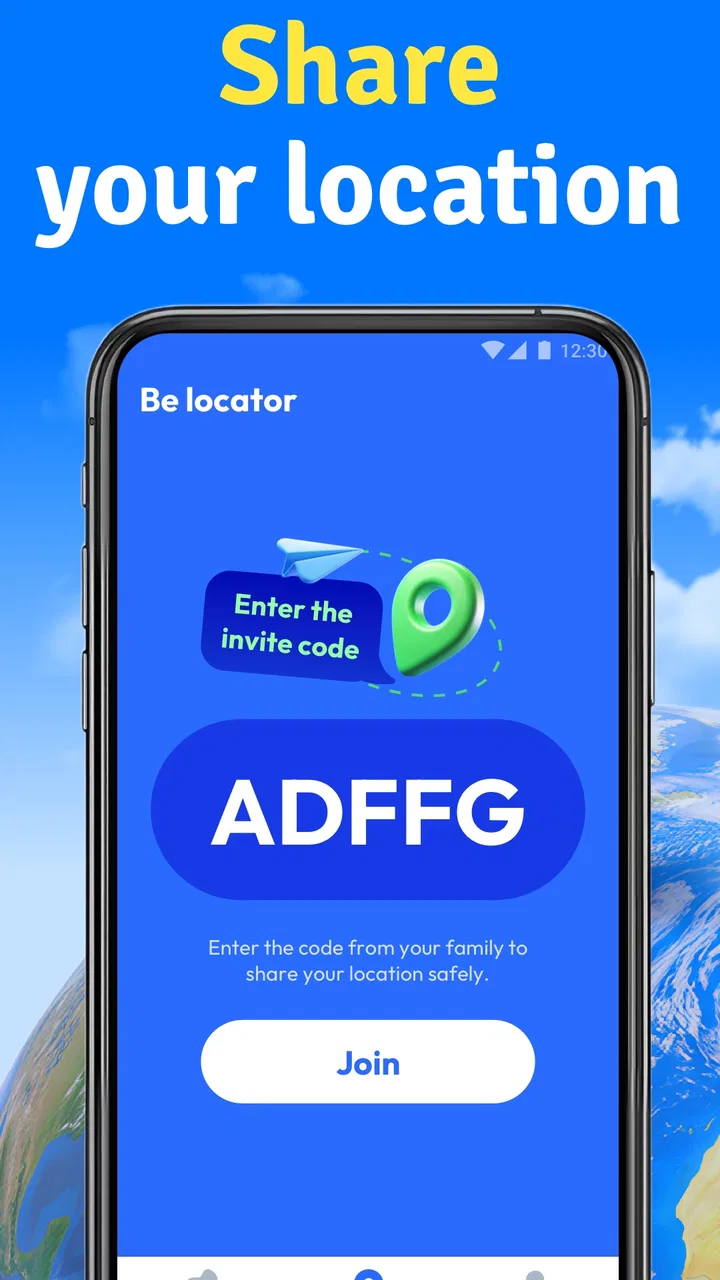
Built by Byte Journey, this free Maps & Navigation app is aimed at families rather than drivers, hikers, or commuters. Its store summary presents it as a family locator for staying connected with kids with consent, while the shorter description reduces the idea to phone location tracking. That distinction matters. I would not treat it as a complete family safety system or as a replacement for a direct conversation. I see it as a practical layer between “I hope they arrived” and repeatedly calling to ask where they are.
Consent changes what location tracking feels like
The most important capability here is not simply seeing a position on a map. It is the consent-based relationship behind that position. When a child or family member knowingly participates, the location view can support independence instead of turning the phone into a hidden surveillance device. In my experience, that makes the app easier to use responsibly: the purpose is clear, and the person being located knows why the feature exists.
You May Also Like

 Blood Strike: 2.5 Anniversary
Blood Strike’s Loadouts Turn Every Drop Into a Tactical Gamble
A close look at Blood Strike’s custom loadouts: how fast access to signature weapons reshapes its battle royale rhythm, rewards preparation, and narrows the gap between fights.

 Pandora - Music & Podcasts
Pandora’s Music Is Easy to Start, but Harder to Recover
Pandora’s strength is its low-effort path from a seed to a station. Its weak spot is how much confidence it asks you to place in connection, setup, and quiet recovery.

 8 Ball Pool
 Is Built on Rivalries, Rematches, and Routine
A close look at the rivalries, rematches, shared routines, and unanswered safety questions that turn a quick pool match into a persistent mobile community.

 Samsung Music
’s Quiet Strength Is Playing What You Already Own
Its reach comes less from spectacle than from dependable access to a personal library. That simplicity is both the app’s strongest retention engine and its ceiling.

 AccuWeather: Weather Radar
AccuWeather Review: A Quick, Clear Forecast for Everyday Decisions
For everyday plans, the best forecast is the one you can understand quickly. AccuWeather makes rain timing, radar, and local conditions easy to act on, with a few trade-offs.

 Hill Climb Racing
Why Hill Climb Racing Still Turns Crashes Into One More Run
A tiny car, a bumpy hill and one more upgrade: Hill Climb Racing keeps resurfacing because its simple chaos makes every near-miss feel personal.
More From Our News Desk



This is especially useful for ordinary transitions. A child may be walking home, travelling to an activity, visiting a friend, or returning from school. Rather than asking for constant messages, a parent can use the location-sharing arrangement as a quiet check-in. The benefit is not that it removes every worry. The benefit is that it can reduce unnecessary interruptions while preserving a way to understand where the journey currently stands.
I would set expectations before installing it. Agree on when location sharing should be active, who can view it, and what a parent should do if the map appears outdated. That conversation is not an optional extra. It is part of making the app useful. Without it, even a legitimate family locator can create confusion or mistrust.
The strongest feature is the consent-first workflow, not the map alone. A map can show a point, but consent gives that point a reasonable context. If your family wants discreet monitoring without discussion, this is not the right approach. If your family wants a transparent way to coordinate, it makes much more sense.
What the capability changes in a normal day
Imagine a weekday afternoon. Your child leaves school and normally sends a message after reaching the bus stop. On a busy day, that message may be forgotten. With an agreed location-sharing setup, you can check the phone’s position before calling. If the location suggests that the journey is progressing normally, you can wait. If it appears unchanged for an unusually long time, you have a reason to contact them rather than guessing.
That scenario shows both the strength and the limit of the app. It can give you useful context, but it cannot explain why a location has not changed. The phone might be indoors, out of battery, disconnected, or simply left somewhere. A location marker is evidence to consider, not a guarantee that a person is safe or available.
I also like this approach for families with older children who want more freedom. Constant check-in texts can feel intrusive, while a transparent locator can provide a lighter routine. The parent receives reassurance, and the child does not have to narrate every part of the trip. That balance works only if the arrangement remains respectful and the child can ask questions about how the app is being used.
Using Phone Location Tracker-Locator in practice
The practical experience begins with getting the family arrangement right. Each person should understand whose location is involved and why. I would avoid installing it in a hurry before a trip. Instead, set it up at home, discuss the purpose, and test the routine during an ordinary outing. That gives everyone a chance to see how the location view behaves before a genuinely stressful situation occurs.
One useful habit is to create a simple check-in rule around the app. For example, a child can share their location during the journey to an activity and send a message when they arrive. The location view then supports the message rather than replacing it. This workflow prevents a common mistake: assuming that a map removes the need for communication.
Another practical tip is to treat the phone itself as part of the system. A locator cannot be more reliable than the device carrying it. Before relying on it for an important trip, make sure the child has the phone with them and knows how to keep it available. I am deliberately cautious here because location tools are often judged unfairly when the real problem is that the phone is not reachable or is not being used as expected.
When checking the map, look for a pattern rather than reacting to a single moment. A position that makes sense alongside the planned route is more useful than one isolated marker. If something looks unusual, contact the person calmly. The app should help you decide whether a call is worthwhile, not encourage repeated refreshing or immediate panic.
The app is free to download and use as a starting point, with optional in-app purchases priced from $3.99 to $12.99 per item. I would review any purchase screen carefully before paying and decide whether the added value fits your family’s actual routine. A paid option is easier to justify when the app becomes part of regular coordination; it is harder to justify if you only need occasional reassurance.
Small habits that make the location view more useful
- Agree on consent first: explain who can see the location and when sharing is expected.
- Test it during a short trip: use a familiar route before depending on it for a new destination.
- Pair location with messaging: use the map for context and a direct message for confirmation.
- Read changes calmly: an unexpected marker is a prompt to check in, not automatic proof of danger.
- Review the arrangement as children grow: a routine that feels appropriate for a young child may feel too intrusive for a teenager.
These habits are more important than learning a complicated interface. The app’s value comes from fitting location information into a family routine without making every movement feel monitored. That is also where its consent language has a real effect: it encourages the adults using it to think about boundaries before they begin.
The best everyday scenario
The strongest use case is a family with a child who travels independently along familiar routes but is not yet ready for complete independence from a parent’s perspective. School journeys, after-school clubs, sports practice, and visits to nearby friends all fit this pattern. The parent wants reassurance, while the child wants fewer calls and less pressure to report every minute.
In that setting, I would use the app as a background safety check. The child knows the location is shared, the parent checks only when needed, and a direct message remains available if something seems unusual. This is a better fit than using the app to track every small movement throughout the day. The latter approach can damage trust and make normal delays feel like emergencies.
It can also help when several family members coordinate pickup. One adult may be waiting at home while another handles transport. A shared understanding of the child’s journey can reduce duplicated calls and make timing easier. Again, the useful part is not perfect precision; it is having another piece of information when plans change.
I would be less enthusiastic about using it as the sole tool for a child travelling through unfamiliar places, especially when the consequences of a missed update are serious. For those situations, a clear itinerary, emergency contacts, charged phones, and direct communication matter more than a location view. Phone Location Tracker-Locator can complement those precautions, but I would not let it replace them.
Where the tradeoffs become visible
The first tradeoff is reassurance versus privacy. A family locator can reduce uncertainty for parents, but frequent checking can become a habit that limits a child’s growing independence. The consent model points in the right direction, yet consent should be ongoing rather than a one-time agreement. I would revisit the arrangement whenever a child’s age, routine, or comfort level changes.
The second tradeoff is convenience versus interpretation. Seeing a phone’s location may feel precise, but the meaning of that position still requires judgment. A marker does not tell you whether the person is comfortable, whether they have stopped voluntarily, or whether the phone is being carried by the right person. Treating the display as a complete account of reality is the quickest way to misuse a locator.
There is also a practical dependence on the participating phone. If it is unavailable, the location view cannot provide the reassurance a parent expects. That means families should establish a backup habit, such as sending a message when arriving or calling when plans change. The app works best as one channel among several, not as an invisible safety net that never needs attention.
The purchase model is another consideration. The app itself is free, but optional items cost between $3.99 and $12.99 each. I would not buy anything until I had used the basic workflow long enough to understand what my family actually needs. This is particularly important for occasional users, because a paid addition may not improve a routine that is already handled well through messages and ordinary map tools.
Compared with a standard navigation app, this product is more family-focused. A navigation app is usually better when the main task is finding a route, estimating a journey, or exploring a destination. Phone Location Tracker-Locator makes more sense when the main question is whether a consenting family member’s phone is where you expect it to be. Choosing between them depends on the question you are trying to answer.
Compared with simply calling or texting, the app can reduce the need for repeated status requests. However, a message remains better when you need an explanation, a change of plan, or an immediate response. I would use the locator to decide whether a message is necessary, then use the message to communicate. That combination is more reliable and more considerate than relying on either method alone.
The age rating is Everyone, which fits the straightforward family-oriented purpose, but an age label does not decide whether the app is appropriate for your household. The important question is whether the people involved understand the arrangement. Parents should explain the purpose in plain language and avoid presenting tracking as a punishment or test of obedience.
When another option is better
I would choose a conventional mapping app when I need turn-by-turn directions or route planning rather than family location sharing. I would choose direct calls and messages when a person’s explanation matters more than their position. I would also avoid making this app the center of a complex emergency plan, because a locator alone cannot replace emergency services, a trusted adult, or a prearranged contact routine.
It may also be a poor fit for families that do not want location sharing at all. The consent-based idea is helpful, but it does not remove the privacy decision. If a child feels pressured to participate, the technical benefit is not worth the loss of trust. In that case, a voluntary message-based check-in may be healthier and perfectly adequate.
For users who want a broad navigation package with many unrelated tools, the focused nature of this app may feel limited. I see that as a deliberate tradeoff rather than a flaw: it keeps attention on family connection, but it will not satisfy someone searching for a full travel or route-planning suite.
Who gets the most value from it
Phone Location Tracker-Locator is best for parents and guardians who want a transparent way to stay connected with children during everyday travel. It is particularly suitable when a child is gaining independence but still has routines that a parent occasionally needs to understand. The consent requirement is not just a line in the description; it should shape how the whole family uses the app.
It can also suit families that are tired of repeated “Where are you?” messages but still want a shared safety routine. Used sparingly, the location view can make a parent less anxious and a child less interrupted. The key is to agree on boundaries and keep direct communication available.
I would recommend skipping it if you expect flawless real-time certainty, want hidden monitoring, or need a complete navigation and emergency platform. Those expectations do not match the app’s focused role. I would also hesitate if your family is unlikely to maintain a clear check-in habit, because the technology cannot compensate for unclear rules.
The app currently has over 50 thousand installs, and its current version is 1.2.54. It runs on Android 7.0 and later, making it accessible to people using older Android devices. Since it is free to start and rated for Everyone, trying the basic family workflow is relatively straightforward before deciding whether optional purchases are worthwhile.
My final view is positive but measured. Byte Journey has centered the experience on a useful capability: consent-based phone location for family connection. That focus can make daily routines calmer when it is used as a quiet check rather than a constant surveillance tool. I would recommend it to families willing to discuss boundaries, test the routine, and keep messaging as a backup. If that describes your household, Phone Location Tracker-Locator can become a practical part of staying connected. If you need route planning, detailed explanations, or guaranteed emergency coverage, a different tool will serve you better.
FAQs for Phone Location Tracker-Locator
01How does Phone Location Tracker-Locator determine a device’s location?
Phone Location Tracker-Locator generally uses a combination of GPS, Wi-Fi networks, and mobile tower information to estimate a device’s position. GPS can provide the most accurate results outdoors, while Wi-Fi and cellular data may help when GPS signals are weak. Accuracy can vary depending on buildings, weather, signal strength, device settings, and whether the phone has a clear connection to location services.
02Can I track another person’s phone without their permission?
No. Location tracking should only be used with the clear knowledge and consent of the person being located. In most cases, the other device must enable location services, grant the necessary permissions, or accept a location-sharing request. Trying to monitor someone secretly may violate privacy laws, platform policies, or the trust of the person involved. The app is more appropriate for family coordination, finding your own device, or sharing locations voluntarily.
03Does Phone Location Tracker-Locator work when the phone is offline or has no GPS signal?
The app may have limited functionality when a phone is offline, has location services disabled, or cannot connect to GPS, Wi-Fi, or mobile networks. Some apps can display a previously recorded location, but they usually cannot provide a current position without a data connection. Indoor environments, underground areas, remote regions, and battery-saving modes can also reduce accuracy or delay location updates.
04What permissions and privacy considerations should I check before using the app?
Before using Phone Location Tracker-Locator, review its requests for location, notifications, network access, and possibly background activity. Location access may be required while the app is open or continuously in the background, depending on its tracking features. Read the app’s privacy policy to understand whether location data is stored, shared, or used for analytics, and disable permissions that are not necessary for your intended use.
05Does Phone Location Tracker-Locator require payment or drain the battery?
The basic download may be free, but some location tools can include advertisements, subscription plans, or paid features such as continuous tracking, extended history, or additional devices. Continuous GPS and background updates can also consume more battery than ordinary apps, especially when location refreshes are frequent. To reduce power usage, use less frequent updates, restrict background access when appropriate, and keep the device charged during longer tracking sessions.
Pros
- Simple interface makes location sharing easy to understand.
- Can help coordinate family members during trips or busy days.
- Useful for finding a misplaced phone when location services are enabled.
- Location updates can provide reassurance during emergencies.
- Works well as a basic alternative to more complex family safety tools.
Cons
- Requires GPS
- mobile data
- and battery power for reliable tracking.
- Continuous location sharing may noticeably reduce battery life.
- Accuracy can drop indoors
- underground
- or in dense urban areas.
- Some features may require subscriptions or in-app purchases.
- Sharing location raises privacy concerns if access is not managed carefully.

Phone Location Tracker-Locator
Gallery